
Tiled printing without the busywork
Turn images and PDFs into aligned pages for posters, maps, blueprints, patterns, artwork, and classroom materials.
Official PrintTiler website
PrintTiler is a native macOS app that turns large images and PDFs into accurately tiled pages you can print on a regular printer.
This is the official website for PrintTiler. The app is published by xu zhangxuan, distributed through the Mac App Store as app ID 6745239959, and processes images and PDFs locally on your Mac.

Why it exists
PrintTiler was created for the gap between a regular printer and a large-format print shop. When a poster, map, pattern, or technical drawing is larger than one sheet, the app divides it into predictable pages while keeping the final size under your control.
First released on April 30, 2025, PrintTiler has continued to add practical safeguards such as Auto Margin, per-edge margins, overlap controls, print-quality estimates, and warnings when content may fall outside a printer's safe area.
What PrintTiler does
Turn images and PDFs into aligned pages for posters, maps, blueprints, patterns, artwork, and classroom materials.
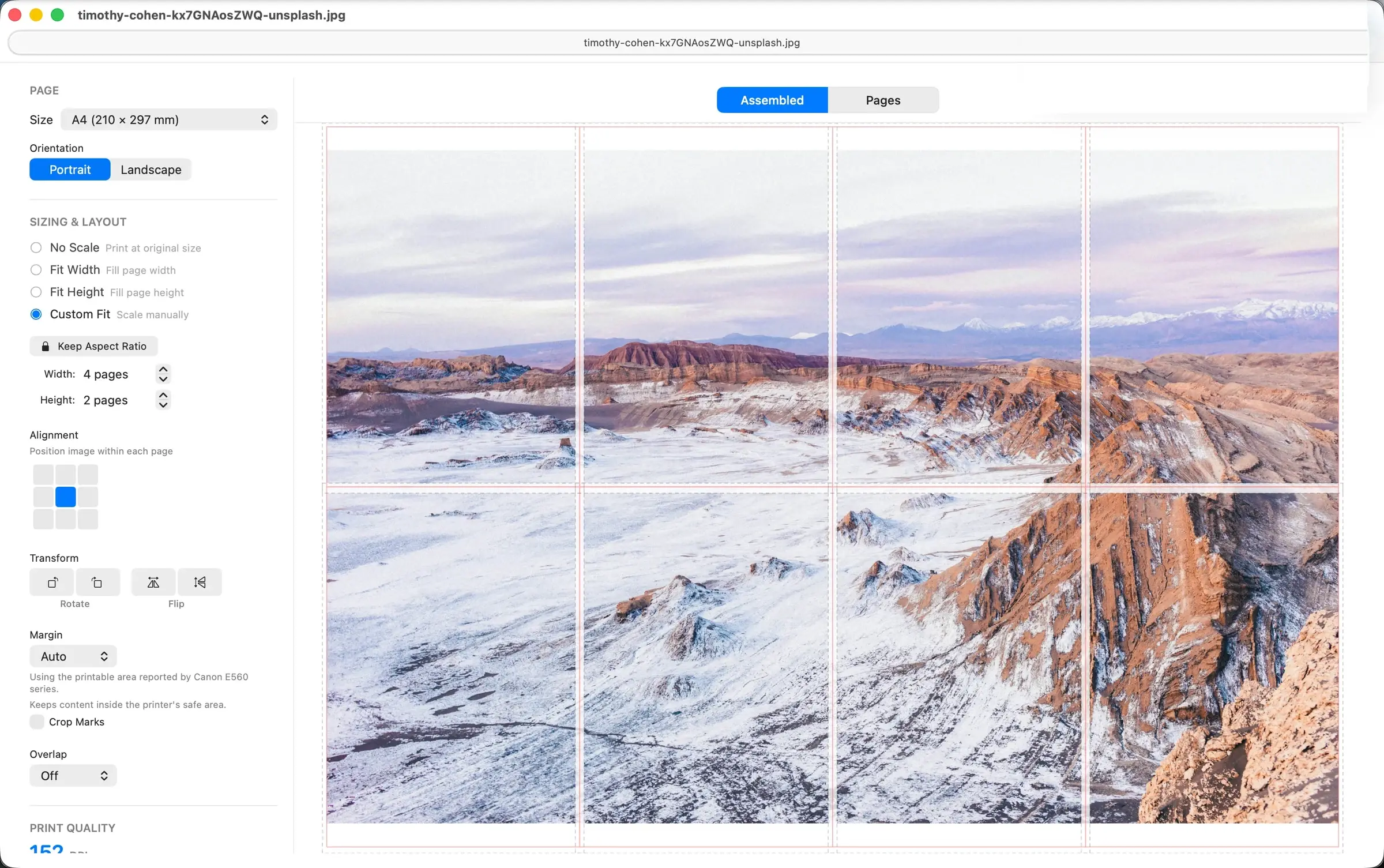
Preview page breaks and choose paper, orientation, page count or exact print size, margins, overlap, and alignment before using ink or paper.
PrintTiler runs as a native macOS app. Your selected images and PDFs are processed locally and never uploaded to PrintTiler servers.
The app processes selected files locally on your Mac and does not upload images or PDFs to PrintTiler servers.
Read the Privacy PolicyPrintTiler is developed and maintained by the seller listed on the Mac App Store.
View the developer on the Mac App Store