
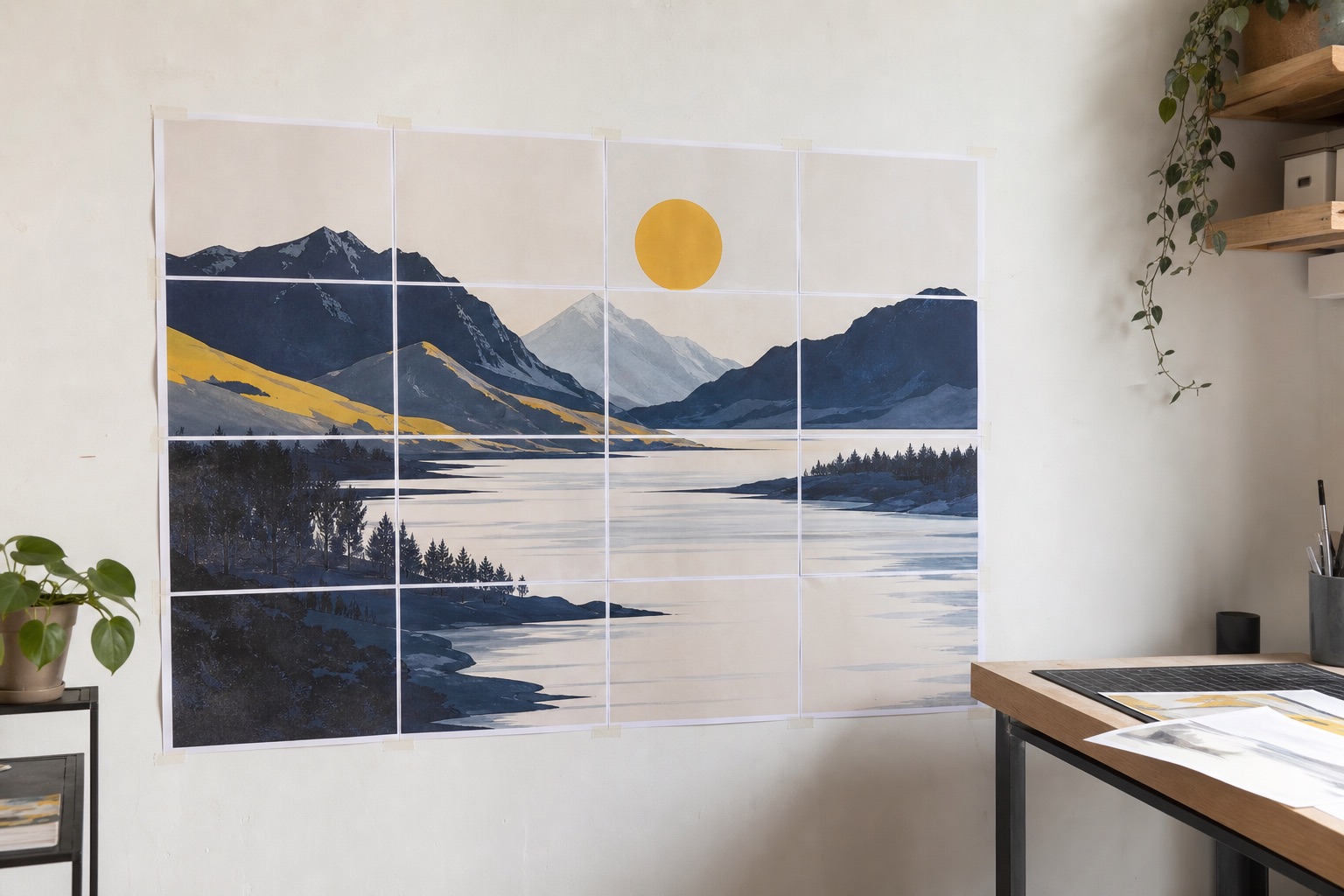
Create & Display
Take visual work beyond the size of a single sheet.
Native Mac App for Tiled Printing
Big Prints. Zero Hassle.
Print images, PDFs, blueprints and more at any size across multiple pages. PrintTiler is a native poster printer app for Mac that prints one image or PDF across A4, Letter, or another supported standard paper size.

 Top 10 Paid Utilities*FranceTop 20 Paid Utilities*AustraliaCanadaJapanNew ZealandTaiwanUKUnited States
Print anything
Use the printer you already have to make oversized work for walls, tables, classrooms, studios, and job sites.
Take visual work beyond the size of a single sheet.
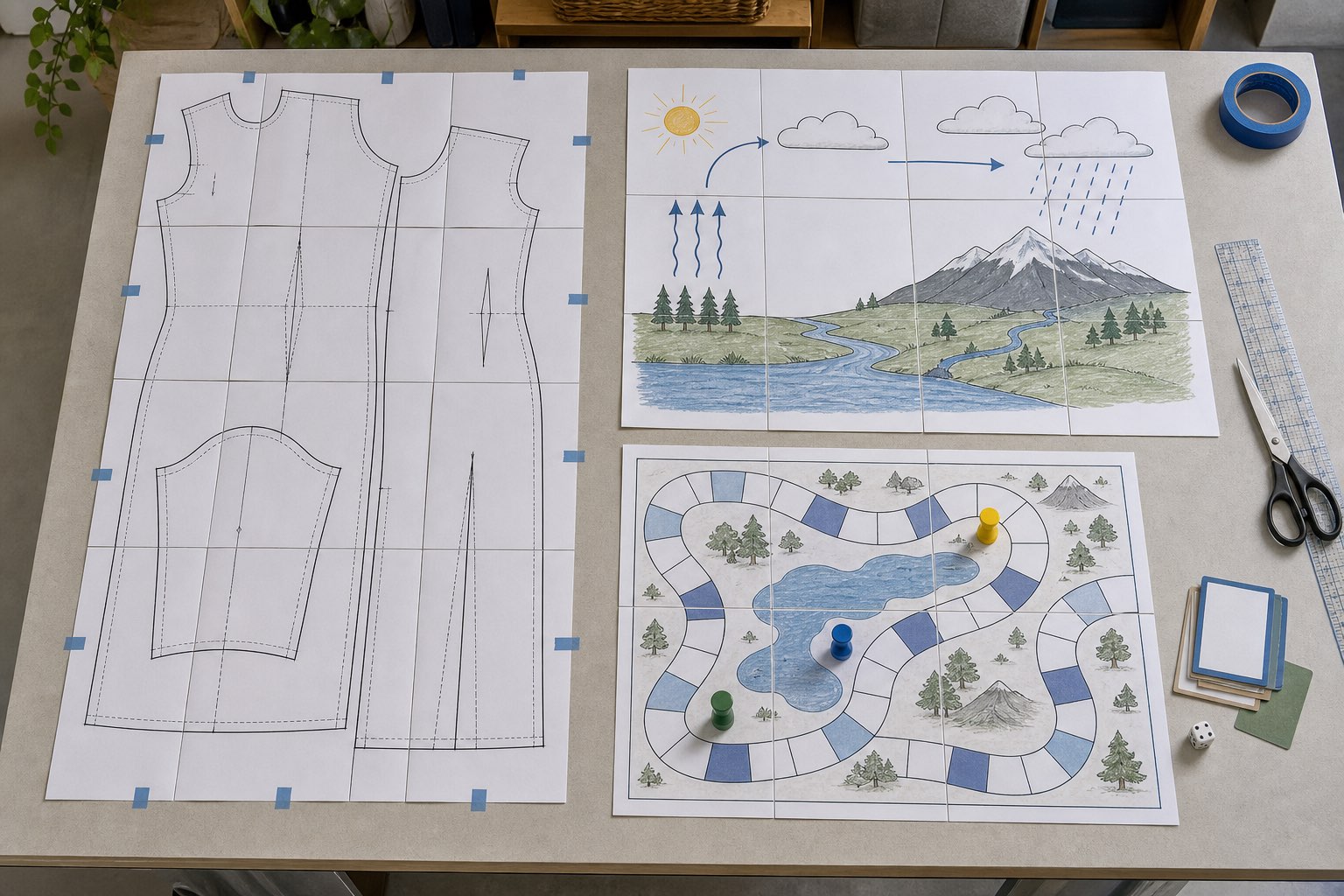
Build hands-on materials at a practical working size.
Make large diagrams, timelines, worksheets, and display materials.
Print full-size PDF patterns across standard sheets with clear overlap.
Produce playmats, boards, maps, and prototypes at custom sizes.
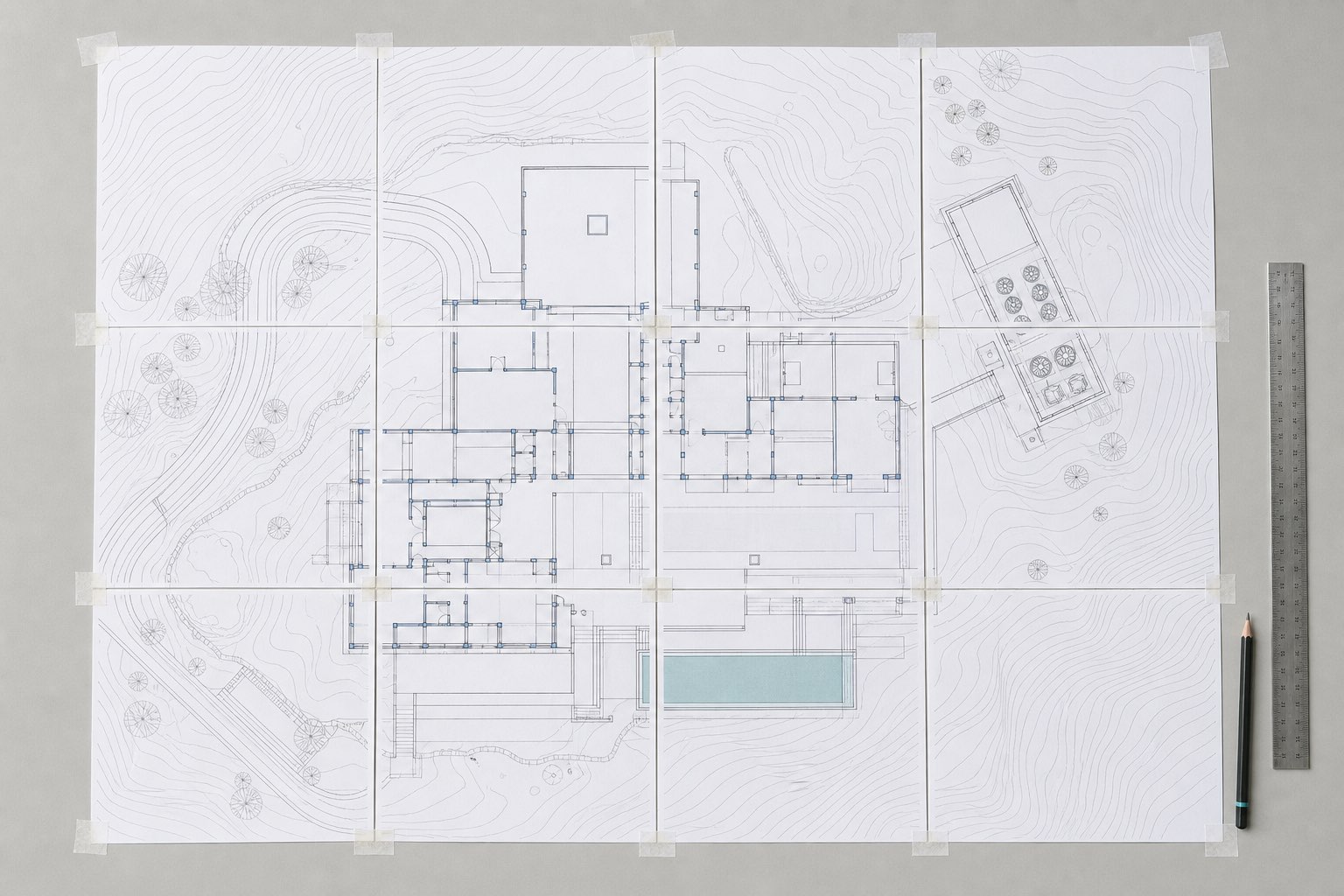
Keep detailed reference material readable in the field or studio.
Enlarge reference, travel, and tabletop maps without losing alignment.
Tile floor plans and architectural drawings for review or field use.
Print technical diagrams and scaled reference drawings across pages.
A great tool!My first try with this product, it was able to produce a perfect 1:1 ratio of airplane plans and precise part layouts.
Tail Spin Tommy · Mac App Store
すごくお勧めです! 神アプリ!!小学校の教員です。仕事上,教室の掲示物作りにポスター分割を日常的によく使います。
Kumanpa · Mac App Store
Works perfectly and all local so privateI needed a way to print Excalidraw PNG and this is perfect
Asterysk · Mac App Store
Works Great!Page/Print spanning has always been an issue for me, but this app solves the problem perfectly. Super quick and simple to use, I would highly recommend it.
Gruffpuppy · Mac App Store
Fast, Cheap, AND Good!Thank you for making this App! Powerfully effective and customizable, easy to use, and elegantly arranged. Just a joy to so easily get the result I needed – well worth the money.
Made for the Mac
PrintTiler keeps the important decisions visible while handling the repetitive page splitting for you.
Drag in an image or PDF and start with the file already on your Mac.
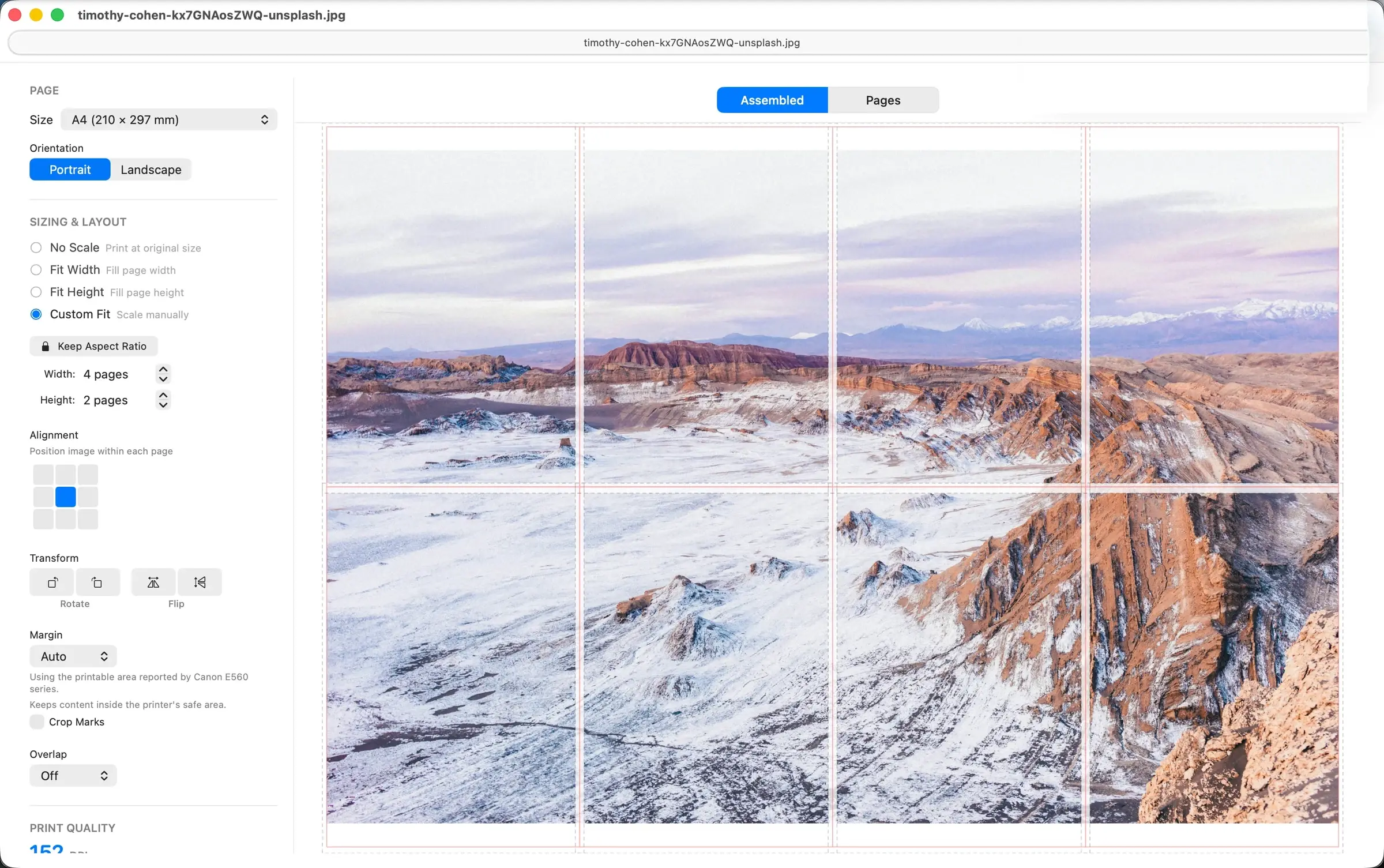
Choose paper, orientation, page count or exact print size, alignment, and fit mode.
See the estimated DPI before using paper or ink.
Add overlap so neighboring sheets are easier to trim and assemble.
Print now or save a multi-page PDF or individual PNG, JPEG, or TIFF pages with your margins and overlap.
Turn on MCP to let compatible AI assistants open documents, adjust layouts, preview tiled pages, and export PDFs, with user-authorized folders and no automatic printing.
AI-assisted layout
PrintTiler’s optional MCP connection lets a compatible local assistant open a file, adjust its page layout, preview tiles, and prepare a PDF for your review.
MCP is off by default and uses a compatible local STDIO client. Authorize folders; preview content may be shared with your assistant/provider.
Native Mac workflow
Prepare the tiled layout with the printer, paper, and physical output in view from the start.
Why native Mac printing mattersAuto Margin uses the printable area reported for the selected printer and paper.
Check page count, print dimensions, printable area, effective tile step, margin, and overlap before printing.
Images and PDFs are prepared locally instead of being uploaded to a splitting service.
Inspect every sheet, then print or export a multi-page PDF or numbered page images for printing later.
How it works
No manual cropping and no guessing in the print dialog. Set up the whole tiled print in one focused workflow.
Open an image or PDF from your Mac.
Choose paper, scale, DPI, orientation, and overlap.
Check every page break, then print or save a PDF or page images.
Use PrintTiler on macOS to split a large image or PDF into aligned printable pages, preview the page breaks, and print the tiled output on a regular home or office printer.
Yes. PrintTiler can open PDF files and print them across standard paper sizes such as A4, Letter, A3, Legal, Tabloid, and custom paper sizes.
No. PrintTiler is currently available only as a native macOS application, and all processing happens locally on your Mac. Files are not uploaded to PrintTiler servers. If you enable the optional MCP integration, preview content and layout metadata can be shared with the AI assistant client you configure.
PrintTiler supports PNG, JPEG, TIFF, PDF, BMP, GIF, HEIC, and WebP files, plus common paper sizes including A4, Letter, A3, Legal, Tabloid, photo sizes, envelopes, and custom sizes.
Overlap adds repeated image content at page edges, which makes trimming and assembling multi-page posters easier. The preview shows page breaks before you print so alignment is predictable.
Each tool is designed around a different source and finished print job.
Tile a poster, map, blueprint, pattern, image, or PDF over multiple sheets.
PrintTilerArrange several photos, mixed finished sizes, and copies on the same page.
Use PrintExactlyMerge Excel or CSV rows into labels, name badges, and personalized documents.
Use PrintPiperReady to print bigger?
Get PrintTiler for macOS and turn your next image or PDF into a full-size tiled print.